
Course Details

Microsoft 365 Copilot for Business Productivity & Cross-App Workflows

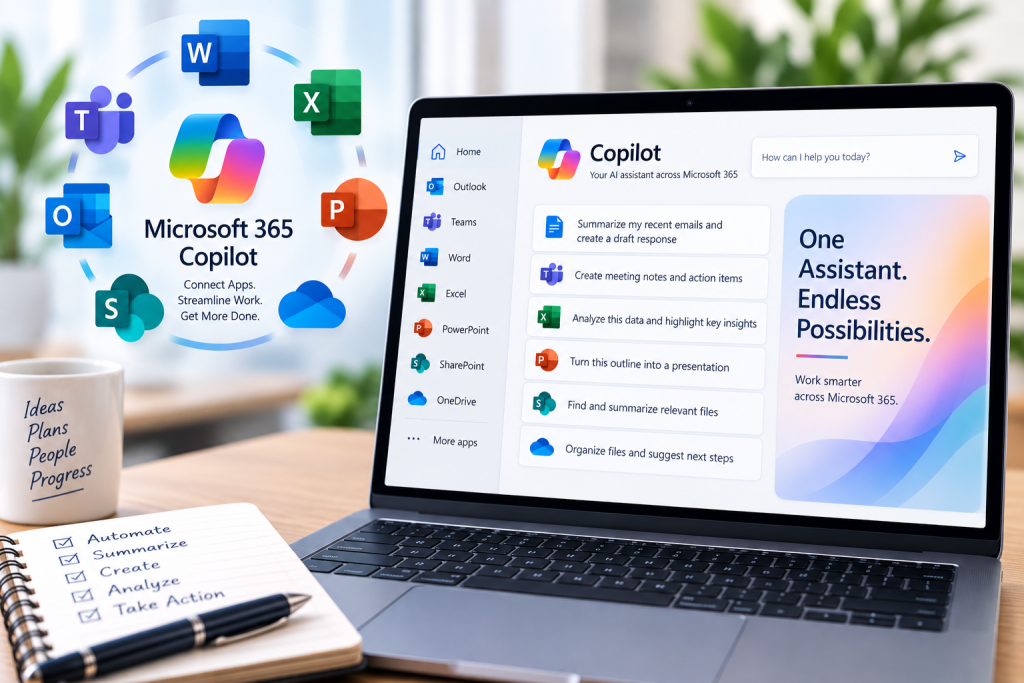
This course provides business professionals with a comprehensive, hands-on guide to maximizing daily productivity using Microsoft Copilot across the entire Microsoft 365 ecosystem, including Word, Excel, PowerPoint, Teams, Outlook, SharePoint, and OneDrive. Participants will master practical prompt engineering frameworks, seamless cross-application workflows, and essential considerations around Microsoft AI licensing, data governance, and responsible use.

Designed for Continuing Professional Education (CPE), this course emphasizes realistic business workflows—turning meeting transcripts and raw notes into polished documents, converting spreadsheet insights into executive slide decks, automating communication triage, and safely navigating organizational knowledge.

Target Audience

  • Business professionals, managers, analysts, and project leads
  • Power users of Word, Excel, PowerPoint, Teams, Outlook, and SharePoint seeking end-to-end productivity techniques
  • Professionals seeking practical Continuing Professional Education (CPE) credits in applied generative AI

Summary

This course equips knowledge workers to move beyond isolated single-app tasks and adopt cohesive cross-service workflows that streamline daily work, improve communication quality, and uphold enterprise data governance standards.

Upon completion of this course, participants should be able to:

  • Apply effective prompt crafting frameworks (goal, context, source material, and output expectations) across Microsoft 365 applications
  • Execute connected cross-app workflows linking Teams, Outlook, Word, Excel, PowerPoint, and OneDrive
  • Understand Microsoft AI licensing options, user enablement requirements, and business value drivers
  • Synthesize meeting discussions, email threads, and shared files into decision-ready business deliverables
  • Navigate enterprise data privacy, access controls, and compliance boundaries in day-to-day operations
  • Critically evaluate, fact-check, and refine AI outputs to maintain professional accuracy and standards

8:30 AM – 9:00 AM | Welcome, environment setup & Copilot ecosystem overview

  • Course objectives, CPE expectations, and environment readiness check
  • The Microsoft 365 Copilot architecture: how Copilot operates across apps
  • Microsoft AI licensing overview: Copilot for Microsoft 365 tiers, prerequisites, and business feature sets

9:00 AM – 10:30 AM | Core prompt engineering for business professionals

  • Anatomy of high-impact business prompts (objective, role, context, constraints, and tone)
  • Iterative prompting: refining, adapting length, and adjusting formats for different stakeholders
  • Common prompt failure modes and proven strategies for repeatable, high-quality results

10:30 AM – 10:45 AM | Break

10:45 AM – 12:15 PM | Cross-app workflows: from communications to formal documentation

  • Connecting Teams meeting recaps and Outlook email threads to draft structured Word documents
  • Retrieving and synthesizing background information across SharePoint and OneDrive libraries
  • Creating executive summaries, project proposals, and briefing memos from multi-source inputs

12:15 PM – 1:15 PM | Lunch

1:15 PM – 2:45 PM | Cross-app workflows: data insights into executive presentations

  • Extracting insights and narrative trends from Excel models for reporting
  • Converting Word reports and structured outlines into polished PowerPoint presentations
  • Refining visual storytelling, slide layouts, and messaging consistency across deliverables

2:45 PM – 3:00 PM | Break

3:00 PM – 4:15 PM | AI licensing, governance, quality control & practical adoption

  • Enterprise data security: tenant boundaries, permissions inheritance, and sensitivity labels
  • Verification practices: detecting hallucinations, fact-checking citations, and reviewing outputs
  • Building sustainable daily Copilot workflows and team productivity routines
  • Course recap, final Q&A, and action planning

Course Information

Course Level: 
Credit: 8 CPE hours
Fee: $445Klarna
Length: 1 day
Hours: 8:30 a.m. - 4:15 p.m.
Delivery: Virtual Group Training/Virtual Open Enrollment
Please enable JavaScript in your browser to complete this form.
Please choose which Artificial Intelligence Training class(es) you are interested in.
Please choose which best describes your interest for this training:

Related Courses