
Course Details

Microsoft 365 Copilot for Excel

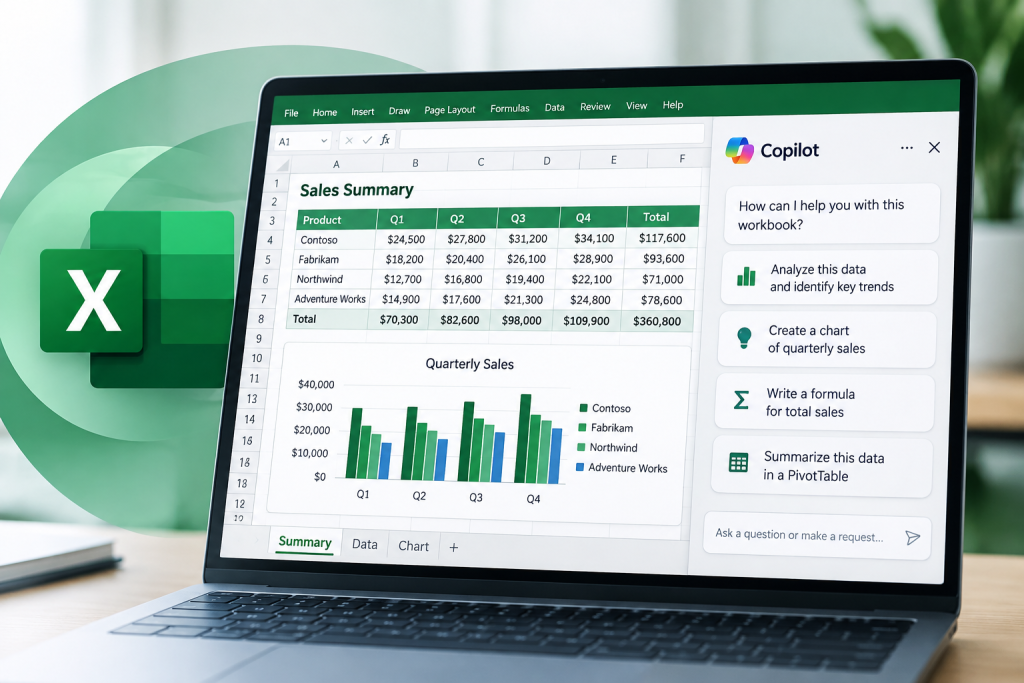
Microsoft 365 Copilot for Excel helps participants use Copilot to work more effectively with spreadsheets, data analysis, and business reporting in Microsoft 365. The focus is on interpreting data, generating formulas, summarizing trends, and creating decision-ready insights without requiring advanced technical expertise.

Designed for business users who regularly work with spreadsheets and want to use AI as a practical productivity tool for analysis, reporting, and decision support, it emphasizes both speed and responsible review of AI-generated outputs. 

Target Audience

  • Analysts, coordinators, managers, and office staff who work with spreadsheets
  • Professionals who need better insight from data without deep technical skills
  • Team members who want to use AI to improve reporting, analysis, and productivity

Summary

This course gives participants a practical and current way to work smarter in Excel with Copilot, turning raw data into meaningful business insight while reinforcing strong review habits, prompt quality, and responsible use.

This course gives participants a practical and current way to work smarter in Excel with Copilot, turning raw data into meaningful business insight while reinforcing strong review habits, prompt quality, and responsible use.

Upon completion of this course, participants should be able to:

  • Prepare and structure data for analysis in Excel
  • Use Copilot to generate formulas, calculated columns, and logic-based summaries
  • Summarize trends, variance, anomalies, and operational patterns in business data
  • Build charts and summaries that support management and business decisions
  • Ask better questions and frame more effective prompts for data analysis
  • Review AI-generated calculations for accuracy, logic, and business relevance
  • Apply responsible data handling practices when working with sensitive or shared spreadsheet content

8:30 AM – 9:00 AM | Welcome and Excel setup

  • Course overview and prerequisites
  • Understanding how Copilot supports spreadsheet work and analysis
  • Common business scenarios for Copilot in Excel

9:00 AM – 10:30 AM | Data preparation and natural-language analysis

  • Cleaning and organizing spreadsheet data
  • Asking effective questions about performance, trends, comparisons, and outliers
  • Reviewing outputs for relevance, clarity, and decision support value

10:30 AM – 10:45 AM | Break

10:45 AM – 12:15 PM | Formula generation and conditional logic

  • Generating calculations with Copilot
  • Creating logic for summaries, metrics, and reporting values
  • Validating formulas and understanding the reasoning behind results

12:15 PM – 1:15 PM | Lunch

1:15 PM – 2:45 PM | Charts, summaries, and insight generation

  • Creating visual explanations of business data
  • Summarizing results for managers, teams, or operational stakeholders
  • Turning raw numbers into clear narrative takeaways and recommendations

2:45 PM – 3:00 PM | Break

3:00 PM – 4:15 PM | Scenario-based analysis, validation, and responsible use

  • Working through practical business examples
  • Reviewing spreadsheet outputs and finalizing insights
  • Validating AI-generated results before using them in real decisions
  • Wrap-up and participant action planning

Course Information

Course Level: 
Credit: 8 CPE hours
Fee: $395Klarna
Length: 1 day
Hours: 8:30 a.m. - 4:15 p.m.
Delivery: Virtual Group Training/Virtual Open Enrollment
Please enable JavaScript in your browser to complete this form.
Please choose which Artificial Intelligence Training class(es) you are interested in.
Please choose which best describes your interest for this training:

Related Courses